
Install a Dependency on your VRChat Creator Companion
Not sure how to properly install a dependency? This guide will help you solve this common issue step by step.
Solutions
Tip: Follow the steps carefully.
Step 1 Automatic: Download the dependency from the official website
To download the dependency automatically, for example VrcFury, go to the website and you'll find it at VrcFury Download and Install. Once on the site, you'll see https://vcc.vrcfury.com, Copy it then open VRChat Creator Companion. Once in VRChat Creator Companion you should click on Settings in the bottom left of the window, then on Packages. Once there you'll see Add Repository.

Step 1 Legacy: Download using the Legacy method
To download the dependency manually, for example VrcFury, go to the website and you'll find it at VrcFury Download and Install. Once on the site, you'll see Click here to add VRCFury to the VRChat Creator Companion, Click on it and a popup will appear to open a link to VCC. Accept it.
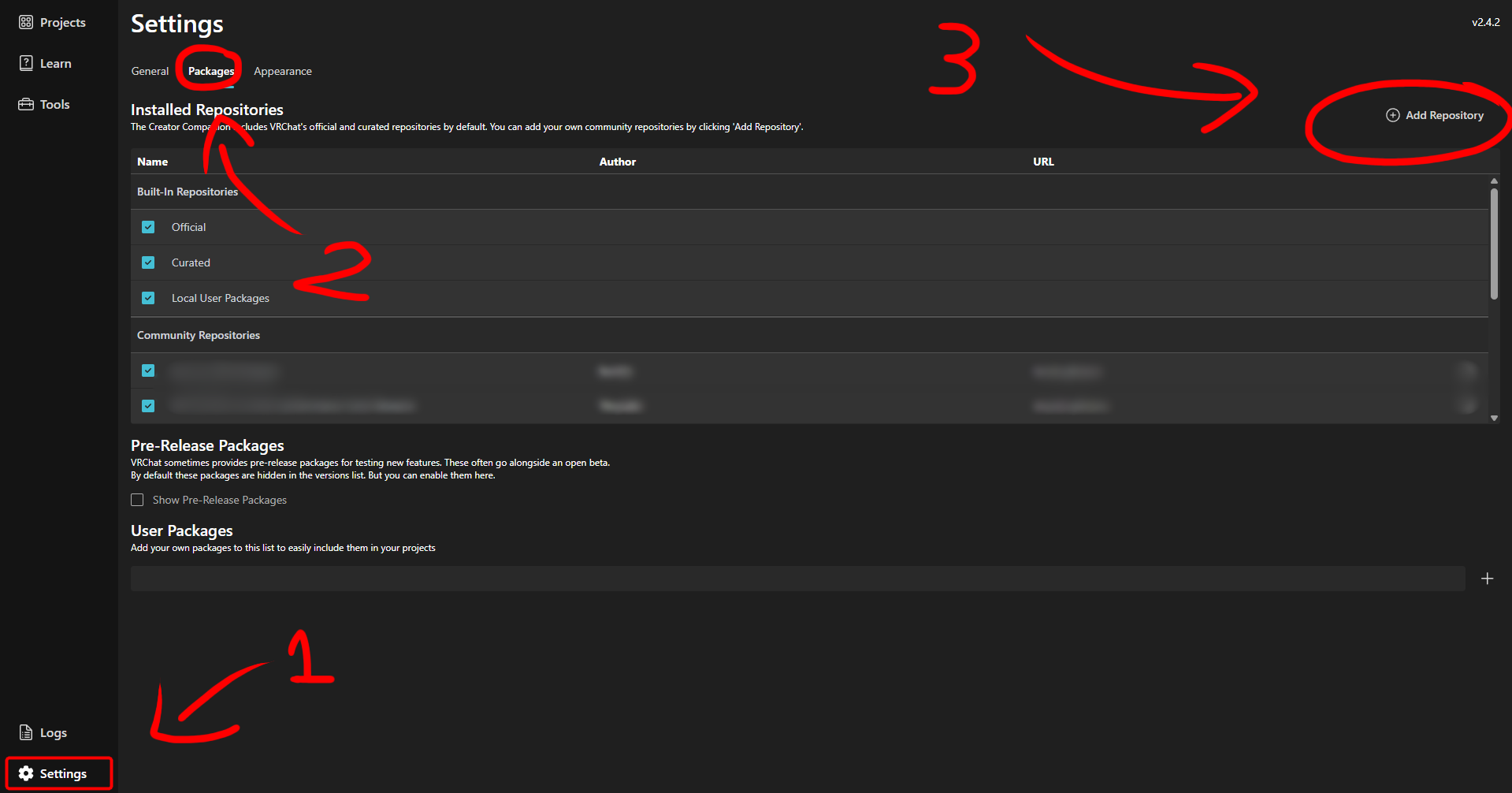
Step 2: Installation in VRChat Creator Companion
A window will appear in VRChat Creator Companion. You should click on I Understand, Add Repository.
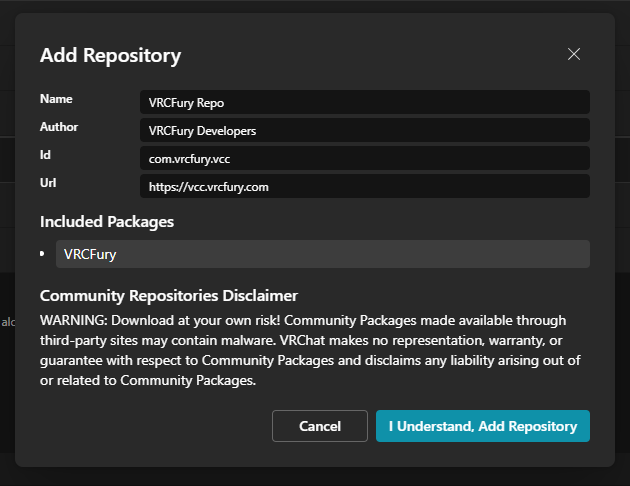
Then you should see the dependency appear in the dependencies list. You should click on Install to install the dependency.
You have now installed the dependency on your VRChat Creator Companion! If you encounter any issues, make sure to follow the steps correctly and verify the installed dependencies.