Import Novabeast into Unity
Not sure how to properly import your avatar? This guide will help you solve this common problem step by step.
Solutions
Tip: Follow the steps carefully.
Step 1: Download Novabeast_V1_2.unitypackage
To download Novabeast_V1_2.unitypackage, you should go to Jinxxy or Gumroad to get the file needed to import the avatar into Unity. Make sure to download the latest version of the package to avoid compatibility issues.
Step 2: Create a Unity Project with VRChat Creator Companion
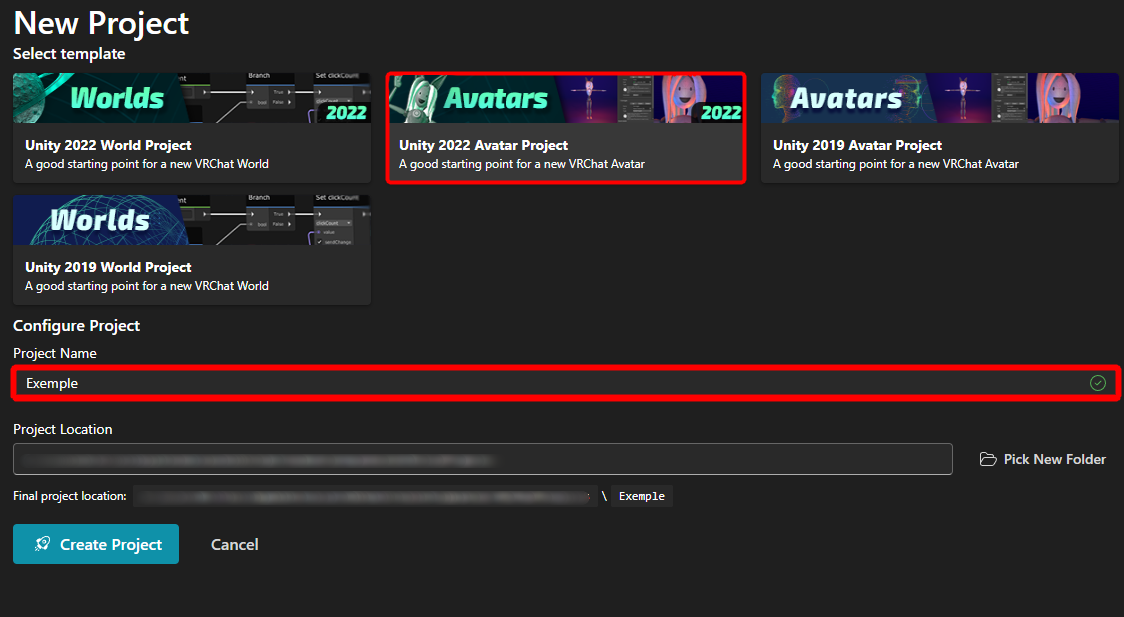
Open VRChat Creator Companion and click on Create New Project.

Then select Unity 2022 Avatar Project and choose your project Name.
Step 3: Install Dependencies
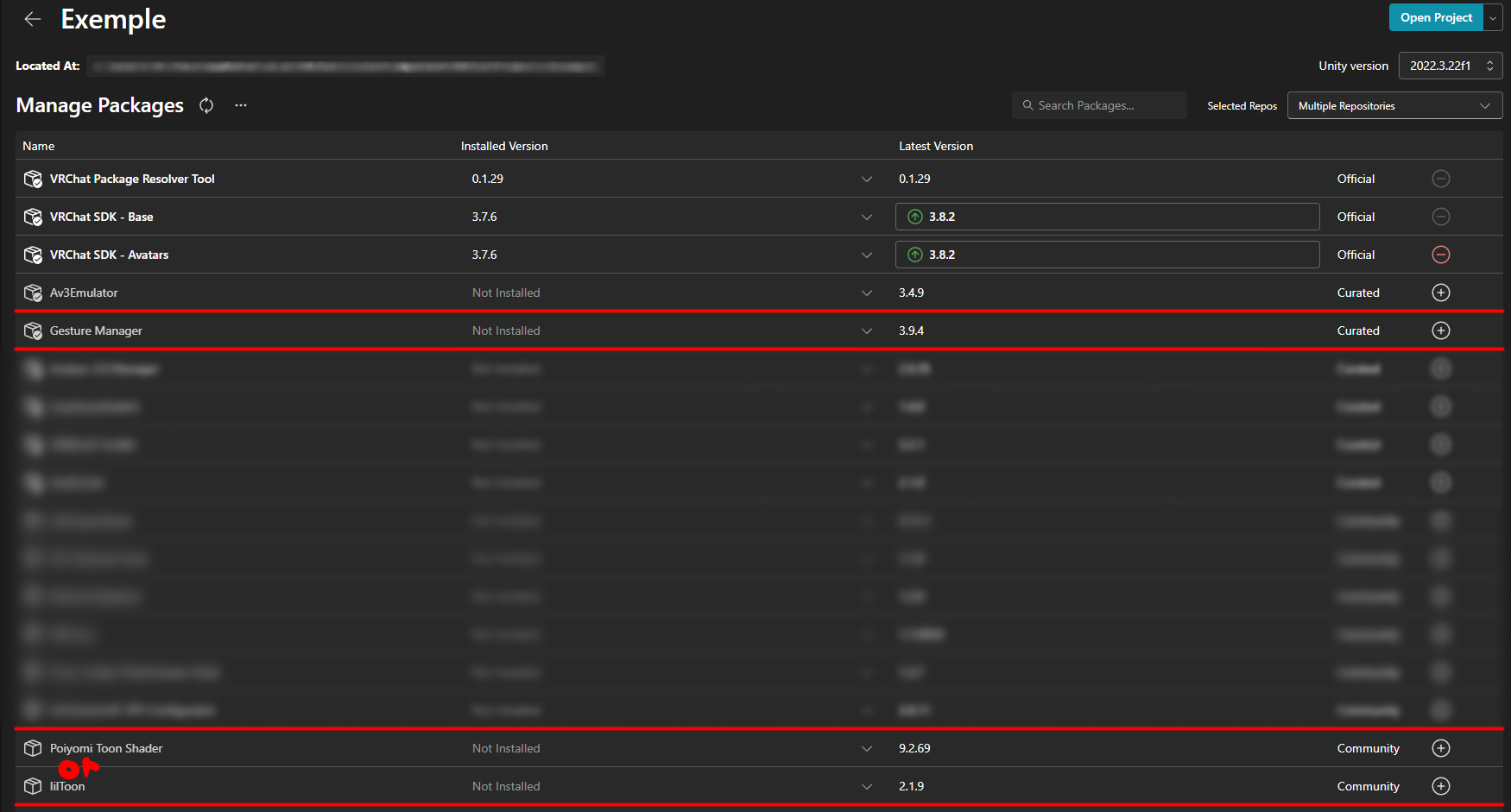
Install the necessary dependencies for the project. The dependencies to install are GestureManager, Poiyomi shader or lilToon shader. Once the dependencies are installed, open the project.
Step 4: Import Novabeast
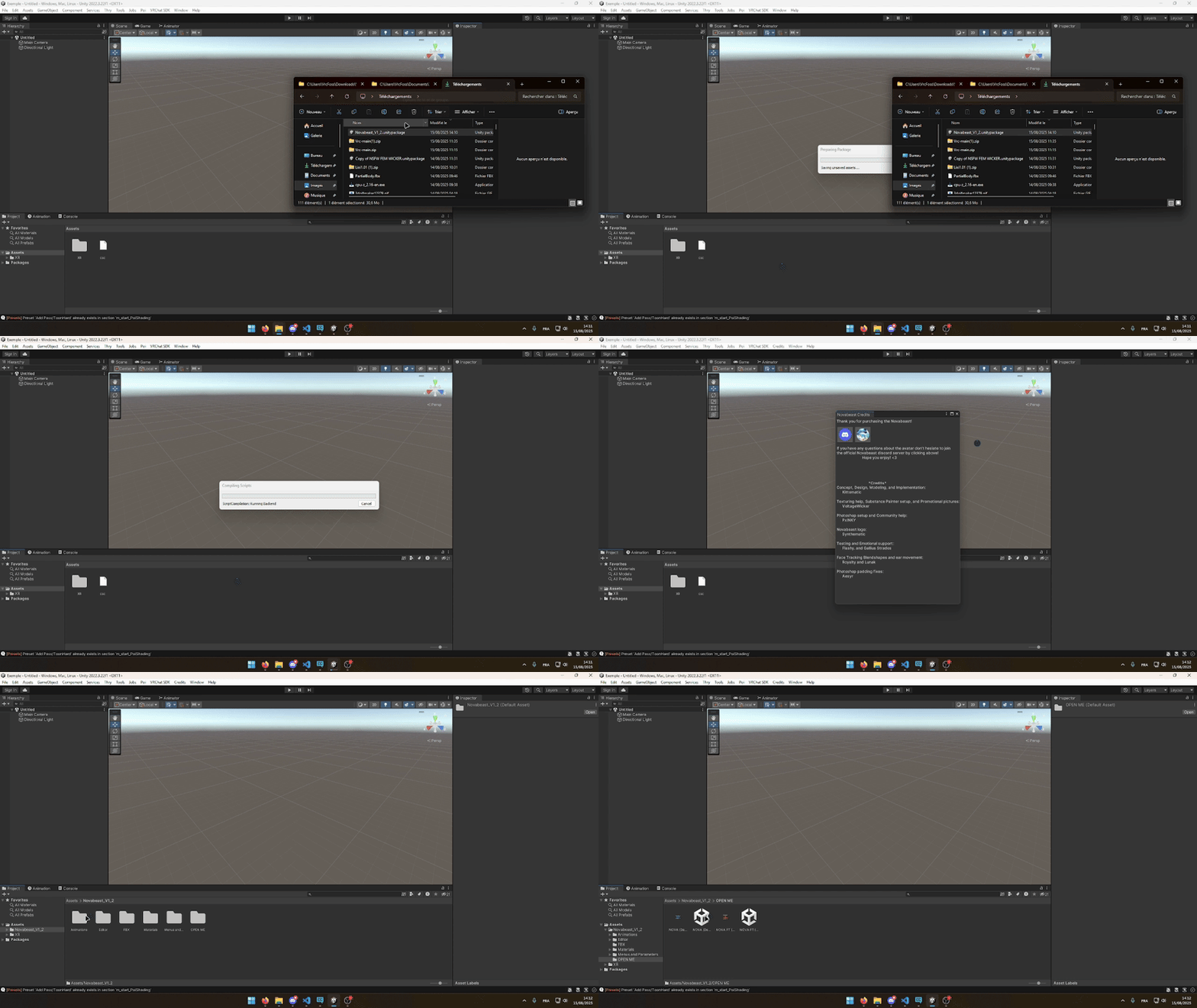
Import the Novabeast_V1_2.unitypackage into your Unity project. Then open NOVA (Default) in the Novabeast_V1_2/OPEN ME file
FINAL Step 5: Choose the Right Novabeast
If you imported the Poiyomi shader then choose Novabeast_Poiyomi but if you have the lilToon shader then choose Novabeast_lilToon.
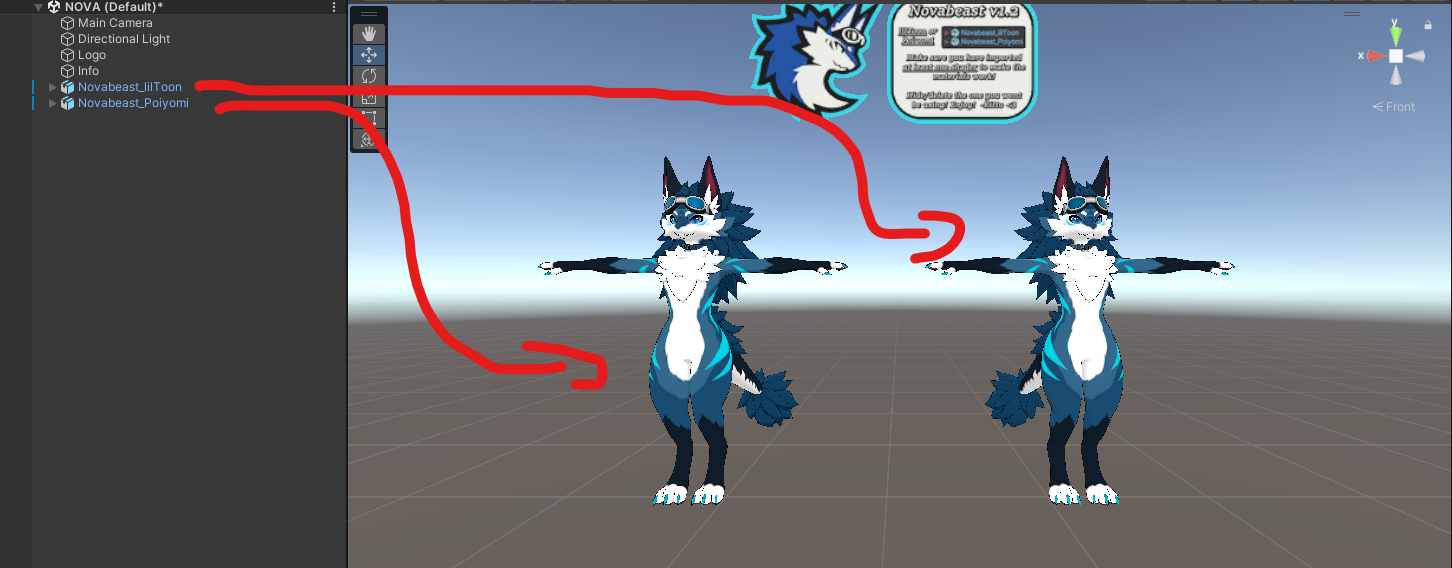
You are now ready to use Novabeast in Unity! If you encounter any issues, make sure to follow the steps correctly and verify the installed dependencies.